Play
Rhythm Clash Music Game
Showtime

Rhythm Clash Music Game

Music
Developer: Hologram Shift Studio
Published: 2024-09-02
Updated: 2026-06-12

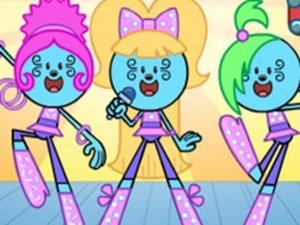
Rhythm Clash is a cheerful music game that challenges your timing with original songs. The controls are easy to learn, and the bright graphics keep the experience lighthearted. It runs smoothly on many devices, making it accessible for everyone. Perfect for casual play.

Plays in your browser — no install.

About this game

Game Introduction

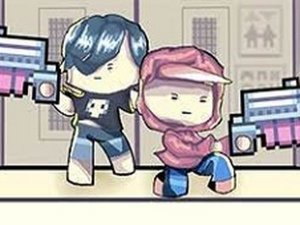
Rhythm Clash Music Game is an arcade-style music game that challenges your timing and coordination. In this game, you participate in a friendly musical contest where characters use colorful props to create a lively atmosphere. The game features original songs with catchy beats, designed to test your ability to match rhythms accurately. With bright and cheerful visuals, it offers a safe and enjoyable experience for players of all ages. The web-friendly version works on various devices, including older computers, Chromebooks, Macs, and Linux systems, ensuring broad accessibility.

How to Play

To play Rhythm Clash, you use your keyboard to match the rhythm of the music. Notes scroll down the screen, and you press the corresponding arrow keys (up, down, left, right) in time with the beat. Hitting the correct keys earns points and helps you progress through the song. The game is easy to learn but requires practice to master faster rhythms. You compete against an AI opponent in a friendly musical contest. Controls are responsive and simple, requiring no special equipment—just your keyboard and a sense of timing.

Game Features

Rhythm Clash Music Game includes rhythm-based gameplay that tests your timing and coordination. It features catchy original music with upbeat tracks. The graphics are colorful and cheerful, creating a lighthearted atmosphere. Controls are simple and responsive, using only keyboard arrow keys. The game is designed to work on low-end devices, including older computers, Chromebooks, Macs, and Linux systems. It also includes an AI opponent for a competitive yet friendly experience.

Tips for Success

To succeed in Rhythm Clash, practice regularly to improve your timing and reaction speed. Start with slower songs to get familiar with the note patterns and gradually increase difficulty. Focus on staying relaxed and keeping your eyes on the scrolling notes rather than your hands. Listen carefully to the beat of the music, as it guides your timing. Consistent practice will help you master faster rhythms and achieve higher scores.

Compatibility

💻 Desktop | 📱 Mobile | 📟 Tablet
– All supported · Best with Chrome or Safari
FAQ
Is Rhythm Clash Music Game free to play?
Based on the game description, it is a web-friendly version designed for broad access. Many music games of this type are free to play online, but specific pricing details are not provided. Check the game's official website or platform for the most accurate information.
Can I play Rhythm Clash on my smartphone or tablet?
The game is described as working on various devices including older computers, Chromebooks, Macs, and Linux systems. While it may be playable on some mobile browsers, it is primarily designed for keyboard input. Touchscreen support is not mentioned, so it may not be optimized for phones or tablets.
Does Rhythm Clash have multiple difficulty levels?
The description mentions that the game is easy to learn but requires practice to master faster rhythms, which suggests that songs may vary in speed or complexity. However, specific difficulty levels are not explicitly stated. Players can likely progress from simpler to more challenging tracks as they improve.
Are there different songs available in Rhythm Clash?
Yes, the game features original songs with catchy beats. While the exact number of songs is not specified, music games of this type typically include a selection of tracks. Players can expect a variety of rhythms to test their timing skills.
Do I need an internet connection to play Rhythm Clash?
Since the game is described as a web-friendly version, it likely requires an internet connection to load in a browser. However, some browser-based games may offer offline play once loaded. Check the game's specific requirements for more details.
Can I play Rhythm Clash with a game controller?
The game is designed for keyboard input using arrow keys. While some arcade music games may support controllers, this is not mentioned in the description. For the best experience, use a keyboard as intended.
Advertisement

More Games