
What players say
Scene Builder: Creative Play offers a wonderful outlet for children's imagination. The simple drag-and-drop interface makes it easy for young players to create unique scenes. The variety of backgrounds, costumes, and decorations provides plenty of options for creative expression. The snapshot feature is a nice touch, allowing families to save and share their creations. It is a safe, engaging activity that encourages creativity without any stressful elements.
About this game
Game Introduction
Scene Builder: Creative Play is a digital activity that invites children and families to design their own imaginative tableaus. The core objective is to construct a personalized scene by selecting from a variety of backgrounds, characters, costumes, and decorative items. What makes this game unique is its focus on open-ended creativity within a safe, themed environment. Players can mix and match elements to create countless combinations, encouraging artistic expression and storytelling. The game is designed to be accessible for all ages, with simple controls that make it easy for young children to participate. It provides a constructive outlet for creativity, allowing players to build scenes that reflect their own ideas and preferences. The game emphasizes fun and exploration, with no right or wrong ways to design a scene.
How to Play
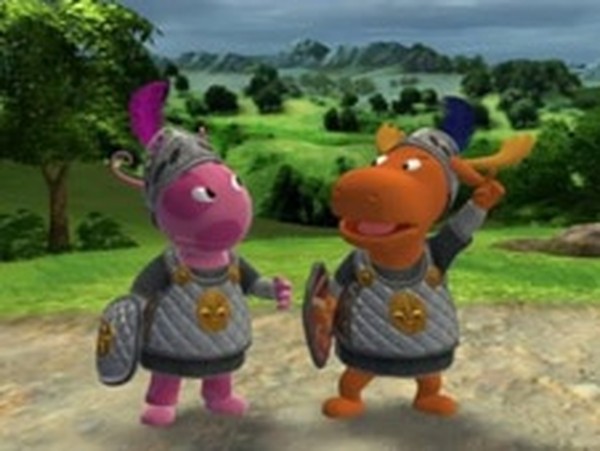
Players typically start by choosing a background from a selection of options, such as a farm, a house, or a forest. After the background is set, they can drag and drop characters into the scene. The next step involves dressing the characters in various costumes, such as knights, superheroes, or friendly ghosts. Then, players can add decorative items like bats, spider webs, and pumpkins to enhance the scene. Once the design is complete, players can select a frame and take a snapshot of their creation. This snapshot can be printed or shared with friends and family. The gameplay is straightforward and intuitive, designed to be picked up and played without lengthy instructions.
Game Features
The game includes multiple background options, providing variety for scene creation. There are dress-up options with several costumes, allowing for character customization. Decorative items are available to add detail and atmosphere to the scenes. A snapshot feature lets players capture their finished designs. The game also includes a print option for creating physical copies of the scenes. All content is family-friendly and designed to be safe for players of all ages. The interface is simple and easy to navigate, making it suitable for young children.
Tips for Success
Experiment with different background and costume combinations to create unique scenes. Try layering decorations to add depth and visual interest. Use the snapshot feature to save your favorite designs and share them with family. Let your imagination guide you—there are no wrong choices in this creative play space. The more you experiment, the more you will discover the possibilities available.





Player comments
Sign in to comment
You must be logged in before posting a review or rating.
No account? Create one
No comments yet. Be the first to comment!