Play
Hyper Dash Running Arcade
Showtime

Hyper Dash Running Arcade

Adventure Mobile Tablet
Developer: Minotaur Games
Published: 2024-08-24
Updated: 2026-06-12

Vex Hyper Dash Running Game delivers a tight, reflex-based experience. The automatic running and simple jump/dash controls make it easy to pick up. Obstacles appear quickly, forcing you to stay focused. The progress bar and score system add replay value as you try to improve your performance. A solid choice for quick gaming sessions.

Plays in your browser — no install.

About this game

Game Introduction

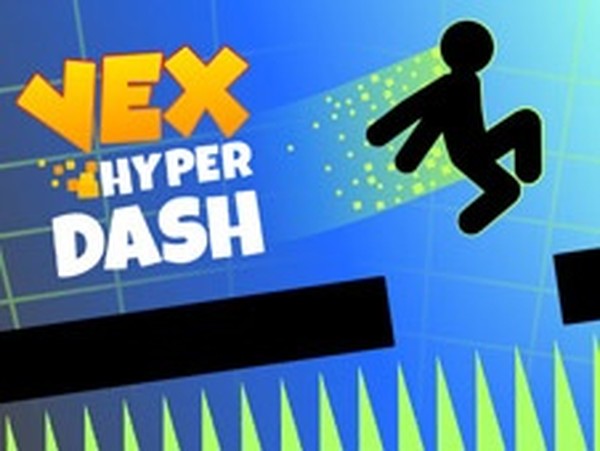
Vex Hyper Dash Running Game Arcade is an exciting online arcade game where you guide a stickman through challenging obstacle courses. The running is automatic, so you focus on jumping and dashing to avoid pits, seesaws, and triangles. New hazards appear constantly, testing your reflexes and concentration. A completion bar at the top shows your progress through each level. Your performance earns a score, encouraging you to master the flow of running and dashing. Benefits include improved reaction times, focus, confidence, and hand-eye coordination. This game offers a family-friendly challenge that sharpens your skills while providing engaging gameplay.

How to Play

To play Vex Hyper Dash Running Game, your stickman runs automatically. You control two main actions: jumping and dashing. Press the jump button to leap over pits and obstacles like seesaws and triangles. Use the dash button to speed through smooth surfaces and overcome certain obstacles. Remember, pointy objects are dangerous, so avoid them. Obstacles can appear on the floor or in the air, so watch your head. The completion bar at the top shows your progress. Reach 100% to finish each level. The better you perform, the higher your score. Share your records in the comments and compare with other players.

Game Features

Game features include fast-paced running with automatic movement. Jump and dash controls give you precise actions. Obstacles are inspired by Geometry Dash, including seesaws and triangles. A progress bar tracks your completion through each level. A score system rewards your performance. Playing helps improve reaction times, focus, and hand-eye coordination.

Tips for Success

To succeed in Vex Hyper Dash Running Game, focus on timing your jumps and dashes precisely. Practice each level to learn the placement of obstacles. Stay calm and maintain concentration, as hazards appear suddenly. Use the dash ability strategically on smooth sections to gain speed. Watch for both ground and aerial obstacles. Consistent practice will improve your reflexes and help you achieve higher scores.


Compatibility

• OS: Windows 10+, macOS 11+, iOS 14+, Android 10+
• Browsers: Chrome 100+, Safari 15+, Edge 100+, Firefox 100+
• Not compatible with Internet Explorer
Tested on real devices ✅ works as expected
FAQ
Is Vex Hyper Dash Running Game free to play?
Many online arcade games like this are free to play, often supported by ads. Since the game is described as an online arcade title, it is likely free to access through a web browser or mobile app store. Check the specific platform for any in-app purchases or premium features.
Can I play this game on my mobile device?
Yes, the game tags include Mobile and Tablet, indicating it is designed for touchscreen devices. You can likely play it on smartphones and tablets through a mobile browser or a dedicated app. The controls are adapted for touch input, making it easy to jump and dash on the go.
Does the game have multiple levels?
Yes, the description mentions a completion bar that tracks progress through each level, and reaching 100% finishes a level. This implies there are multiple levels to complete. The increasing difficulty suggests later levels introduce more complex obstacle arrangements, keeping the gameplay fresh and challenging.
Is there a way to save my progress?
Many online arcade games save progress automatically using browser cookies or account systems. For Vex Hyper Dash Running Game, progress may be saved locally or through an online account if available. Check the game settings or platform for specific save options to continue from where you left off.
What should I do if the game runs slowly?
If the game runs slowly, try closing other browser tabs or apps to free up system resources. Ensure your device meets the minimum requirements for smooth gameplay. Lowering graphics settings or updating your browser and device drivers can also improve performance. A stable internet connection helps for online versions.
Are there any leaderboards to compare scores?
The description encourages players to share their records in the comments and compare with others, suggesting a community-based comparison rather than an in-game leaderboard. Some similar games may feature global leaderboards, but this title likely relies on player interaction through comments or social sharing to compare high scores.

Advertisement

More Games