Play
DuckWAK Arcade Action
Showtime

DuckWAK Arcade Action

Developer: Match Games
Published: 2026-02-12
Updated: 2026-06-06

DuckWAK offers a refreshing take on cooperative arcade action. The dual-duck control system is easy to learn but provides a good challenge for coordination. Bright visuals and responsive touch controls make it suitable for quick breaks or longer sessions. The game is family-safe and encourages teamwork. Its replay value comes from trying to improve coordination and beat personal scores. A solid choice for casual online gaming.

Plays in your browser — no install.

About this game

Game Introduction

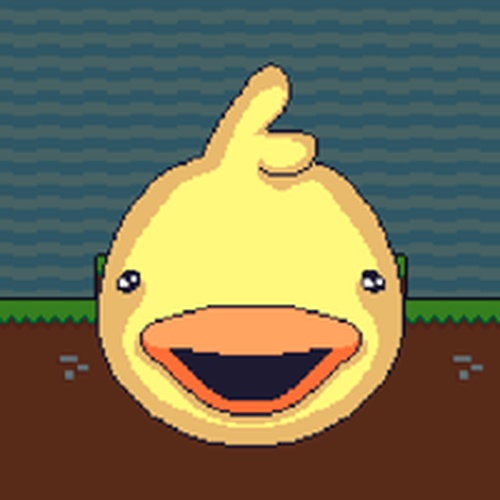
DuckWAK is an online action arcade game that brings a cheerful twist to classic arcade play. Players take control of two ducks: one yellow and one blue. The game is designed to be simple and engaging for all ages, with bright colors and smooth animations creating a welcoming environment. Whether playing alone or with a friend, DuckWAK offers a safe and enjoyable experience. Developed by FBK, this game is a top choice for family-friendly entertainment. The core objective is to navigate obstacles and collect items in a fun duck-themed world, testing coordination and reflexes.

How to Play

Playing DuckWAK is easy. Use the arrow keys to move the yellow duck, and the WASD keys to control the blue duck. This dual-control system allows two players to cooperate or compete on the same screen. On mobile devices, simply touch the screen to play. To start, click or tap the big play button. The goal is to guide your duck through obstacles and collect items. The game is accessible on both desktop and mobile, with no downloads or installations required. It is designed for short sessions or extended play.

Game Features

Key features include family-friendly content, dual-player control, simple touch play, colorful graphics, and quick start. The game supports both single-player and two-player modes, allowing for cooperative or competitive play. It is available on desktop and mobile browsers without any downloads. The bright visuals and cheerful music keep the mood light, making it suitable for players of all ages. The quick start design means you can jump into the action immediately.

Tips for Success

To succeed in DuckWAK, practice coordinating both ducks if playing with a partner. Focus on collecting items while avoiding obstacles. Take advantage of the simple controls to improve your reflexes. Playing regularly can help you learn obstacle patterns and improve your timing. For two-player mode, communicate with your partner to avoid collisions and maximize item collection. Stay calm and enjoy the cheerful atmosphere—it's all about having fun.


Compatibility

This H5 game runs smoothly on:
• Desktop computers (Windows / Mac) • Mobile phones (iPhone / Android)
• Tablets (iPad / Android)
🌐 Best experienced with Chrome, Safari, or Edge
FAQ
Is DuckWAK free to play?
Yes, DuckWAK is a free online game. You can play it directly in your browser on both desktop and mobile devices without any payment or subscription. No downloads or installations are required.

Can I play DuckWAK on my smartphone?
Yes, DuckWAK is designed to be mobile-friendly. On smartphones and tablets, you can play by simply touching the screen. The controls are adapted for touch input, making it easy to play on the go.
Does DuckWAK require an internet connection?
Yes, DuckWAK is an online game, so you need an active internet connection to play. It runs in your web browser and does not require any downloads or installations.
Is DuckWAK suitable for young children?
Yes, DuckWAK is designed for all ages. It features bright, colorful graphics and simple controls, making it safe and enjoyable for young children. The content is family-friendly with no violence or inappropriate material.
Can I play DuckWAK with a friend?
Yes, DuckWAK supports two-player mode. One player controls the yellow duck using arrow keys, and the other controls the blue duck using WASD keys. This allows for cooperative or competitive play on the same device.
What happens if I get stuck on an obstacle?
If you hit an obstacle, you may need to restart the level or try again. The game is designed to be forgiving, so you can quickly retry and improve your skills. Practice helps you learn obstacle patterns and avoid them more effectively.
Advertisement

More Games